The Architect's Mindset: Crafting Enduring WordPress Plugins from Problem to Perfect Solution
In the expansive digital landscape, WordPress stands as a formidable foundation, powering over 40% of all websites. While its core offers remarkable versatility, the true magic often unfolds through its plugins – the essential extensions that transform a generic platform into a tailored powerhouse. Developing a WordPress plugin, however, is far more than just writing lines of code; it demands an architect's mindset: the ability to foresee challenges, design robust solutions, and build functionality that is both efficient and enduring. This article delves into the unique perspective of approaching plugin development not as a mere task, but as an act of architectural craftsmanship, taking an idea from a perceived problem to a perfectly integrated solution.
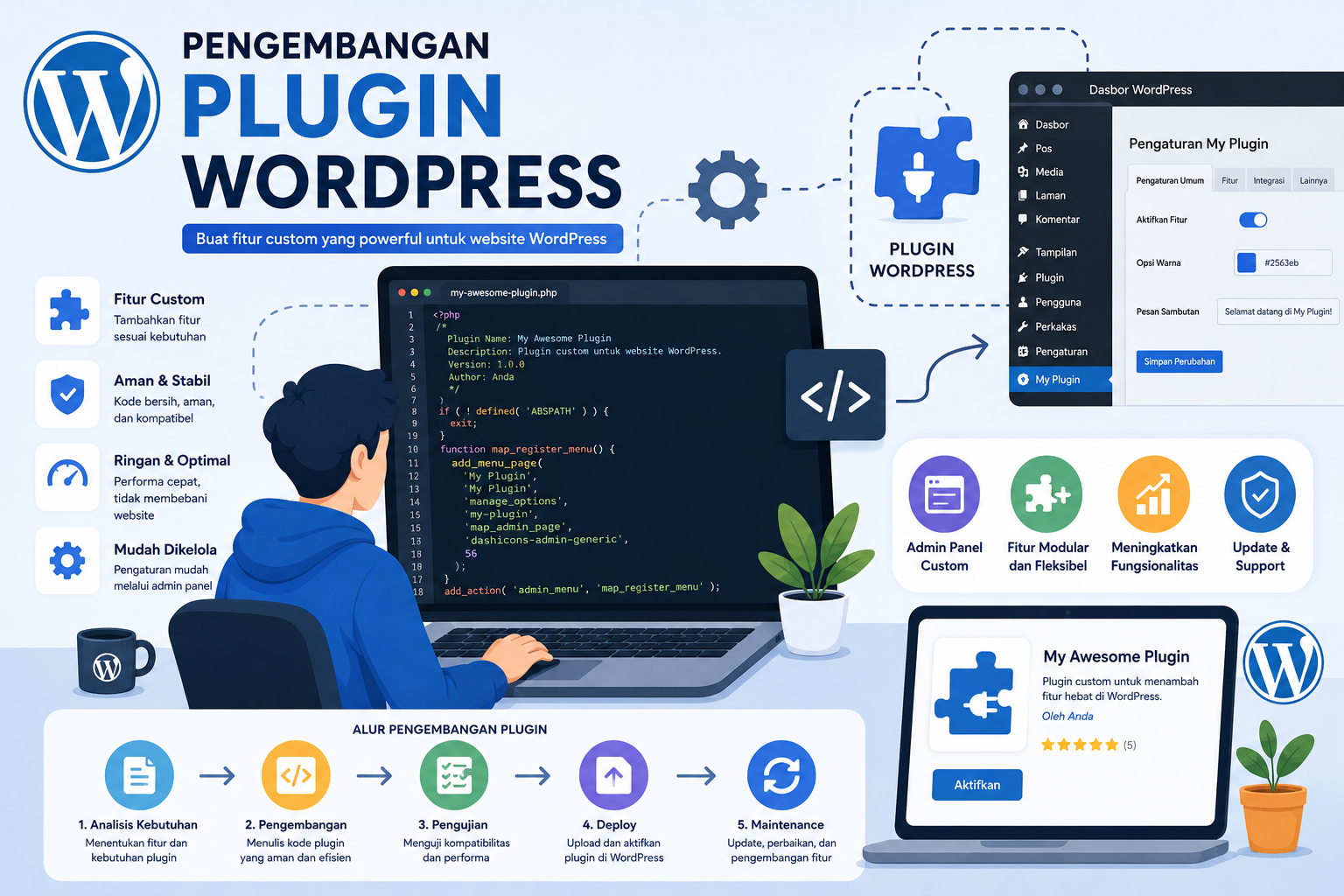
The Core Philosophy: Problem-Solving at Heart
Every truly impactful WordPress plugin begins with a clearly defined problem. It's not about adding arbitrary features, but about identifying a genuine user pain point, a gap in functionality, or an inefficiency in existing workflows. The architect's journey starts by asking: "What problem are we trying to solve, and for whom?" This philosophical groundwork dictates every subsequent decision, ensuring that the plugin isn't just a collection of code but a targeted, elegant answer to a real-world need.
This approach mirrors the essence of engineering, where the focus is on practical, robust solutions to complex challenges. It's about dissecting the problem, understanding its nuances, and then building a system that not only works but works well under various conditions. This deep dive into problem identification and systematic solutioning is akin to the spirit of the Russian engineering approach in WordPress plugin development, which emphasizes moving from a problem to an ideal solution through meticulous design and execution.
Laying the Foundation: Architectural Principles for Longevity
Just as a building needs a strong foundation, a WordPress plugin requires a solid architectural base to ensure stability, scalability, and security. A common pitfall in plugin development is focusing solely on immediate functionality without considering long-term implications. An architect, by contrast, thinks about the entire lifecycle:
- Scalability: Will the plugin perform efficiently if a site suddenly experiences a massive surge in traffic or data?
- Maintainability: Can another developer easily understand, debug, and extend the code months or years down the line?
- Security: Is the plugin impervious to common vulnerabilities, protecting user data and site integrity?
- Compatibility: Will it continue to function correctly with future WordPress core updates, other plugins, and themes?
Adhering to WordPress API best practices is paramount. This includes utilizing hooks (actions and filters) for extensibility, understanding the Transients API for caching, and employing nonces for security. Object-Oriented Programming (OOP) principles, while not strictly enforced by WordPress, can greatly enhance code organization, reusability, and testability, allowing for cleaner separation of concerns. Properly designing database schemas and interaction through the wpdb class ensures efficient data management and prevents common database-related issues.
The Blueprint: From Concept to Code
With the problem defined and architectural principles in mind, the next step is to create a detailed blueprint before diving into coding. This involves:
- Defining Scope: Clearly outlining what the plugin will and will not do. Feature creep is a common enemy of robust development.
- Feature Breakdown: Decomposing the overall solution into smaller, manageable features and tasks.
- User Flows: Mapping out how users will interact with the plugin, both on the frontend and within the WordPress admin.
- Technology Stack: Beyond PHP, considering JavaScript (e.g., React/Vue for complex admin UIs), CSS, and build tools (e.g., Webpack, Gulp) for modern development workflows.
- Version Control: Git is non-negotiable. It allows for tracking changes, collaborating with others, and reverting to previous stable states if issues arise.
- Development Environment: Setting up a local development environment (e.g., Docker, Local by Flywheel, MAMP/WAMP/XAMPP) with debugging tools (e.g., Xdebug) is crucial for efficient coding and troubleshooting.
This meticulous planning phase minimizes costly revisions down the line, much like an architect's detailed drawings prevent structural errors in construction. It's an investment that pays dividends in stability and developer sanity.
Crafting the User Experience: Beyond Functionality
A brilliantly coded plugin that is difficult to use is a failed plugin. The architect of a WordPress plugin understands that user experience (UX) is not an afterthought but an integral part of the design. This involves:
- Admin Interface Design: Adhering to WordPress's native UI patterns and design language makes the plugin feel like a seamless extension of the platform, not an alien addition. Intuitive settings, clear labels, and helpful tooltips are vital.
- Performance Optimization: Slow plugins cripple websites. Efficient database queries, caching mechanisms (like the Transients API), and optimized asset loading are critical.
- Accessibility: Ensuring the plugin is usable by everyone, including those with disabilities, by following WCAG guidelines for contrast, keyboard navigation, and semantic HTML.
- Internationalization and Localization: Making the plugin ready for translation from day one by properly using WordPress's internationalization functions ensures a broader global audience.
- Documentation: Clear, concise, and comprehensive documentation for both users and developers ensures the plugin is understood and adopted effectively.
Prioritizing UX transforms a functional tool into a delightful and indispensable one, significantly enhancing its adoption and perceived value.
Security: Your Plugin's Fortress
Security is not a feature; it's a foundational pillar of plugin architecture. A single vulnerability can compromise an entire website, leading to data breaches, defacement, or malware infections. The architect must build with security in mind from the very first line of code:
- Input Validation, Sanitization, and Escaping: This "triple threat" defense is critical. Validate input to ensure it's in the expected format (e.g.,
is_email(),is_numeric()). Sanitize all user input before saving it to the database (e.g.,sanitize_text_field(),wp_kses()). Escape all output before displaying it on the screen to prevent XSS attacks (e.g.,esc_html(),esc_attr()). - Nonce Verification: WordPress nonces (number used once) protect against Cross-Site Request Forgery (CSRF) attacks by ensuring that a request originates from a legitimate user and not a malicious third party.
- Least Privilege: Only grant the necessary capabilities (roles and permissions) to execute specific functions. Avoid granting administrative privileges unnecessarily.
- SQL Injection Prevention: Always use prepared statements via
$wpdb->prepare()when interacting with the database to prevent malicious SQL queries. - Secure File Handling: Be cautious with file uploads and ensure proper validation and sanitization of file types and contents.
Regular security audits and staying updated with the latest WordPress security best practices are ongoing responsibilities for any plugin architect.
The Lifespan of a Plugin: Maintenance, Updates, and Evolution
A plugin is never truly "finished." The digital world is in a constant state of flux, and a successful plugin must adapt and evolve. This ongoing commitment is part of the architect's promise to deliver an enduring solution:
- Responding to WordPress Core Updates: New WordPress versions often introduce changes to APIs, functions, or security protocols. Plugins must be updated to remain compatible and leverage new features.
- User Feedback and Bug Fixes: Listening to users, promptly addressing bugs, and refining features based on real-world usage are vital for a plugin's health and reputation.
- Feature Expansion and Iteration: As user needs evolve and technology advances, plugins often require new features or improvements to existing ones. This iterative development ensures the plugin remains relevant and competitive.
- Performance Monitoring: Continuously monitoring the plugin's impact on site performance and optimizing bottlenecks is crucial.
This dynamic nature of development means that an architect must anticipate future changes and design for flexibility. The broader technological renaissance constantly redefines what's possible, and plugin developers are at the forefront of translating these innovations into practical WordPress solutions.
Beyond the Code: Community and Commercialization
For many, plugin development extends beyond personal use to serving a wider community or even building a business. The architect's role then expands to include strategic considerations:
- Open Source vs. Premium: Deciding whether to offer the plugin freely on WordPress.org or as a commercial product on a marketplace or custom site involves different development, support, and marketing strategies.
- Support and Documentation: For any plugin, robust support channels and comprehensive documentation are non-negotiable. Users will have questions, and clear answers are crucial for their success and your plugin's reputation.
- Marketing and Distribution: Effectively communicating the plugin's value proposition and reaching the target audience requires strategic marketing, whether through the WordPress.org repository, social media, or dedicated landing pages.
- Community Engagement: Engaging with the WordPress community, attending meetups, and contributing to core development can elevate a developer's profile and foster trust in their plugins.
This holistic view ensures that a technically sound plugin also thrives in its ecosystem, gaining adoption and becoming a valuable asset to its users.
Conclusion
Developing a WordPress plugin through the architect's mindset transforms a coding project into a journey of creation, problem-solving, and continuous refinement. By focusing on a clear problem, designing for longevity, prioritizing user experience and security, and committing to ongoing maintenance, developers can craft plugins that are not just functional, but truly enduring and indispensable. It's about building solutions that stand the test of time, enriching the WordPress ecosystem one perfectly engineered plugin at a time.